
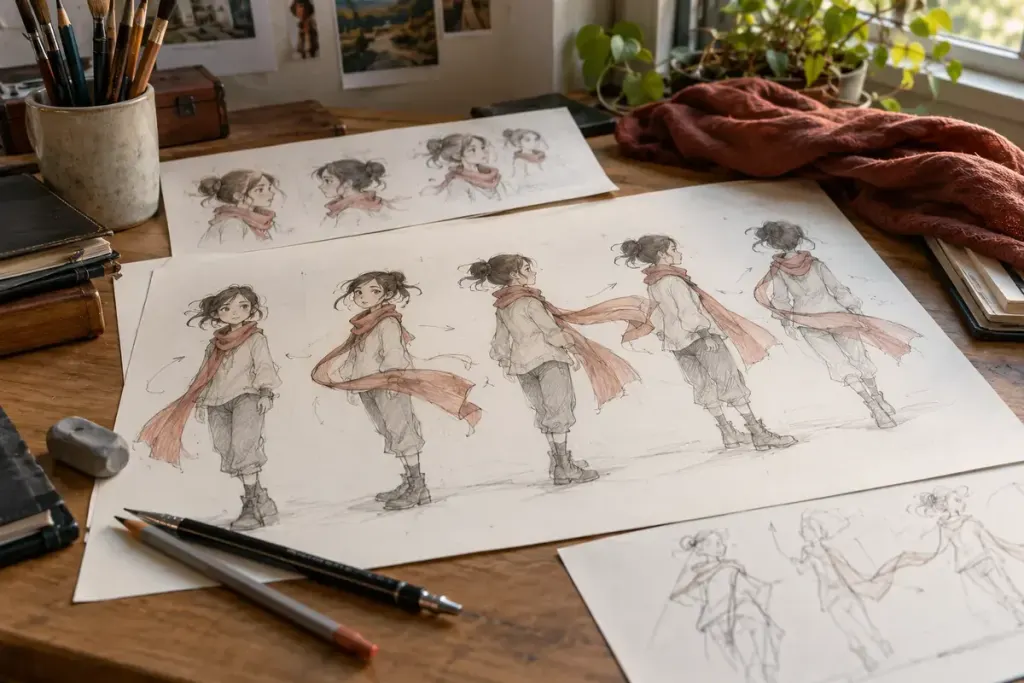
A character turns their head, stops and lets a strand of hair settle a moment later. That small delay can make the movement feel less rigid. If every part froze on the same frame, the figure might resemble a cut-out being moved as one solid piece.
Adobe’s animation-principles guide distinguishes follow-through, in which parts continue moving after the main action stops, from overlapping action, in which different parts move at different times. Hair and clothing make these ideas particularly visible.
Watch the end of the movement
Choose a short shot you can replay legally. First watch the character’s main body action. On a second pass, follow only the end of a sleeve, a ponytail or a loose accessory. Note whether it trails behind, overshoots or settles after the body has reached its pose.
As an original viewing exercise, sketch three moments: the turn begins, the head stops and the hair settles. The sketches can be simple marks. Their purpose is to separate the timings, not to reproduce the character design.
Read the material as well as the motion
A heavy coat and a light ribbon need not finish moving in the same way. Animators can use timing and shape to suggest those differences, or exaggerate them for comedy and style. The result does not have to be a literal physics simulation to communicate weight and flexibility.
Also notice deliberate restraint. A quiet shot may use only a small settling movement, while a dramatic action sequence may push the effect much further. More movement is not automatically a more successful performance.
Connect the detail to the scene
Ask what the delayed motion contributes: softness, speed, hesitation or a comic beat. This turns a technical observation into a reading of the scene. Follow-through is useful because it supports the action the audience is meant to understand, not because every loose object must keep moving in every frame.