
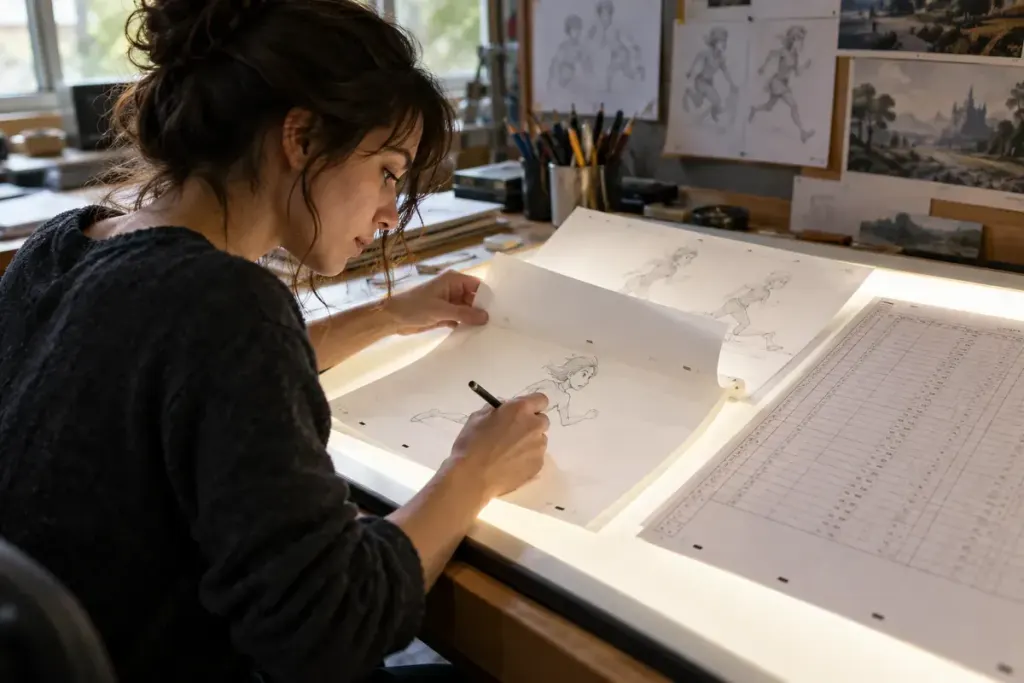
Six drawings do not tell you how long an animated action lasts. Each drawing may remain on screen for one frame, several frames or a longer hold. An exposure sheet records that timing so the sequence can be understood and adjusted.
Toon Boom’s exposure documentation shows how the display duration of drawings is set in an Xsheet or timeline. “Exposure” here concerns how long a drawing is shown, not the camera-light setting used in photography.
A sheet can track different drawing elements alongside the frame sequence. The exact layout depends on the production system, but the central question remains: which drawing is visible at this moment, and for how long?
For a small exercise, imagine a character glancing toward a door. The first pose might hold, the eyes change, and the head movement follows. Keeping those events in a timing record makes it possible to adjust the glance without pretending every element must change on every frame.
Try a short original animation with a fixed set of drawings. Make one version with a longer anticipation and another with a shorter one. Keep the drawing sequence the same and compare how the action feels.
This does not mean timing can solve every drawing problem. It gives you a controlled way to learn whether the pause or transition is causing the effect you notice. Record the frame rate as well; a frame count needs that reference to describe a duration.
Do not infer a production’s entire process from one exported clip. A hold visible in the final image may involve compositing, camera movement or other layers. An exposure sheet is one production record, not a complete account of every effect.
When studying animation, the useful shift is from counting pictures to following decisions in time. The sheet helps you see how a drawing becomes an action through its placement, duration and relationship with the drawings around it.