
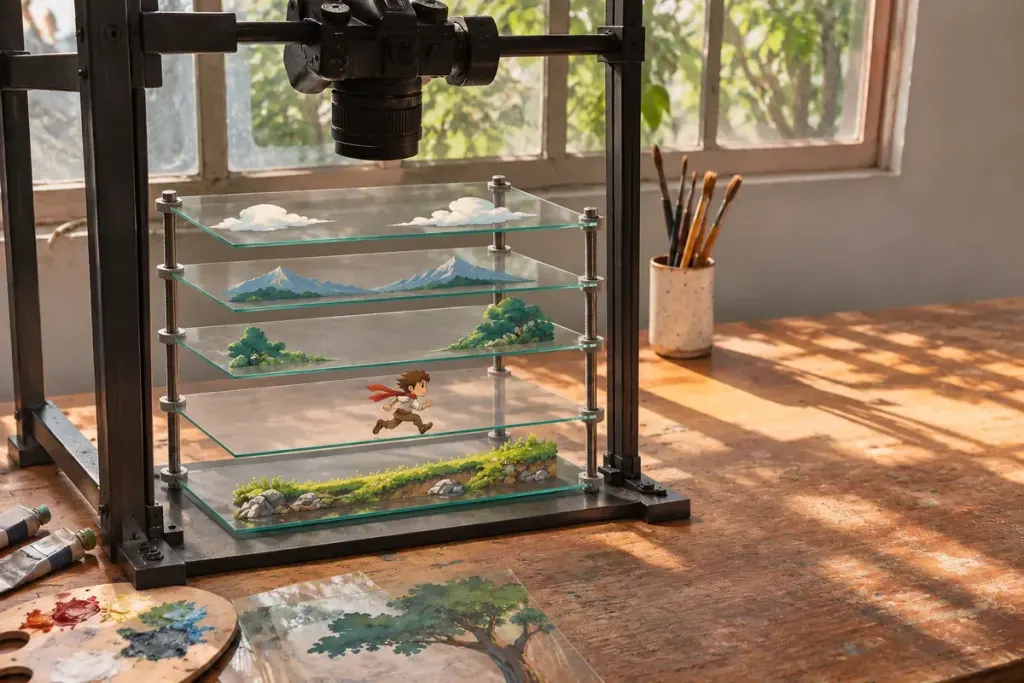
A multiplane camera is an animation apparatus as well as an idea about depth. In a physical setup, artwork occupies separate levels in front of the camera. The spacing and movement of those levels become part of photographing the scene.
The Walt Disney Family Museum’s classroom introduction describes photographing several levels of cels and backgrounds together. Its educational model gives a manageable way to understand the arrangement without mistaking a small teaching kit for the full studio machine.
Look at the apparatus before the finished shot
In a museum photograph, identify the camera position, the artwork supports and the space between them. Ask which parts could move and which held the scene steady. The interesting evidence is not only the painted image; it is the mechanism that made repeated, controlled exposures possible.
Physical separation also creates practical questions. How would an operator reach a lower level? How could lighting avoid unwanted reflections? How would the next exposure preserve everything that was supposed to remain still? These are useful questions for an exhibit guide rather than facts to guess from a distant picture.
Do not identify the production method from depth alone
A modern animated scene can create a related impression using digital layers or a three-dimensional environment. Seeing foreground and background move differently does not prove that a historical multiplane camera was used.
When writing about a particular film or anime episode, look for production documentation before naming the equipment. You can describe the visible depth effect confidently while leaving the method open if the evidence is absent.
For a museum notebook, pair a sketch of the machine with the catalogue’s name, date and source. Keep your questions beside it. This approach turns an impressive piece of studio hardware into an understandable production tool—and avoids treating every layered image as though it came from the same machine.